
WhatsApp OTP Not Received Problem – How to Fix (Step-by-Step Guide)
WhatsApp OTP Not Received Problem Step By Step Guide Follow-
WhatsApp is one of the most widely used messaging apps in the world, but sometimes users face a frustrating issue — WhatsApp OTP not received during registration or login.
If you are stuck on the verification screen and the OTP SMS or call is not arriving, don’t worry. This guide explains all possible reasons and proven solutions to fix the problem permanently.
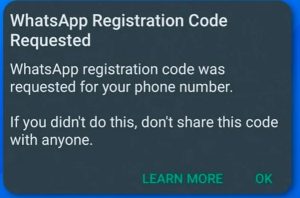
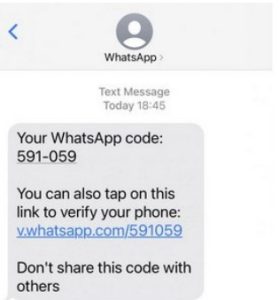
Why WhatsApp OTP Is Not Received?
Before fixing the issue, it’s important to understand why WhatsApp OTP problems occur. The most common reasons include:
-
Weak or unstable mobile network
-
Incorrect phone number or country code
-
SMS blocking or DND services
-
WhatsApp server issues
-
Recently used the same number on WhatsApp
-
SIM card or device issues
Let’s fix each one step by step.
1. Check Your Phone Number Format Carefully
Many users miss OTP simply because of wrong country code or number format.
What to check:
-
Select the correct country from the list
-
Enter the number without spaces or extra digits
-
Do NOT add
0before the mobile number -
Example (India):
✅ +91 9876543210
❌ +91 09876543210
After correcting the number, tap Resend SMS.
2. Ensure Strong Network Signal (Very Important)
WhatsApp OTP requires a stable mobile network, not weak or fluctuating signals.
Try this:
-
Switch between 4G / 5G / 3G
-
Turn Airplane Mode ON for 30 seconds, then OFF
-
Move to an area with better signal
-
Avoid public Wi-Fi during verification
👉 OTP SMS often fails on poor network connections.
3. Wait Before Requesting OTP Again
If you request OTP multiple times quickly, WhatsApp may temporarily block OTP delivery.
Best practice:
-
Wait 5–10 minutes
-
Do not keep pressing “Resend SMS”
-
If SMS fails, use Call Me option after the timer ends
⚠️ Repeated attempts can delay OTP for hours.
4. Check SMS Blocking & DND Settings
Sometimes OTP arrives but is blocked silently.
Check these settings:
-
Disable Do Not Disturb (DND)
-
Check Blocked Messages folder
-
Remove any third-party SMS blocking apps
-
Ensure WhatsApp has SMS permission enabled
Android path:
Settings → Apps → WhatsApp → Permissions → Allow SMS
5. Restart Your Phone & Reinsert SIM
This simple step solves the issue surprisingly often.
Do this:
-
Turn OFF your phone
-
Remove SIM card
-
Wait 1–2 minutes
-
Reinsert SIM and restart phone
This refreshes your network connection with the carrier.
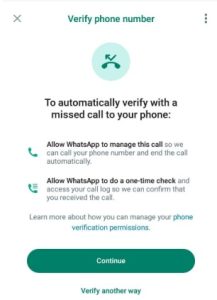
6. Use “Call Me” Option for OTP
If SMS OTP fails, WhatsApp provides a voice call verification.
How it works:
-
After timer ends, tap Call Me
-
You’ll receive an automated call
-
Note down the 6-digit code
-
Enter it manually
📞 This method works even when SMS fails.
7. Check If WhatsApp Is Down

Sometimes the issue is not from your side.
What to do:
-
Check if WhatsApp servers are down
-
Try again after a few hours
-
Avoid repeated attempts during outages
Server issues are temporary and resolve automatically.
8. Avoid VPNs & Cloned Apps
Using VPNs or unofficial WhatsApp versions can block OTP delivery.
Make sure:
-
VPN is turned OFF
-
Use only official WhatsApp from Play Store
-
Avoid cloned or dual WhatsApp apps during verification
WhatsApp may block suspicious IP addresses.
9. SIM Card Issues & Number Reuse
If your SIM is new or inactive, OTP may fail.
Check with your carrier if:
-
SMS service is active
-
International or service SMS is blocked
-
Number was recently recycled
In some cases, OTP starts working after 24 hours.
Frequently Asked Questions (FAQs)
Q1. How long should I wait for WhatsApp OTP?
Usually OTP arrives within 30–60 seconds. If not, wait 5–10 minutes before retrying.
Q2. Can WhatsApp block OTP temporarily?
Yes. Multiple failed attempts can trigger temporary OTP restriction for security reasons.
Q3. Why OTP not received even after Call Me?
This may happen due to:
-
Network issue
-
SIM call service disabled
-
Carrier blocking automated calls
Try again after some time or change location.
Q4. Does WhatsApp OTP work on Wi-Fi only?
No. OTP requires active mobile network. Wi-Fi alone is not enough.
Q5. Can I receive WhatsApp OTP on another phone?
Yes, as long as the SIM card is active and can receive SMS or calls.
Check More Solutions @ kahaniyokasansar.com