
How to Withdraw PF Online – Step-by-Step Guide (EPF Claim Process)
Employee Provident Fund (EPF) is a financial safety net for salaried employees in India. Managed by the Employees’ Provident Fund Organisation, it allows employees to withdraw funds online in a simple and paperless way.
If you are changing jobs, unemployed, retiring, or facing financial needs, this guide will explain how to withdraw PF online, eligibility rules, required documents, common problems, and solutions.
What Is PF Withdrawal?
PF withdrawal means claiming your accumulated employee + employer contribution + interest from your EPF account. Thanks to digitization, you can now submit your PF claim online without visiting the EPFO office.
Types of PF Withdrawal Claims
-
Full PF Withdrawal
-
After retirement (age 58)
-
After 2 months of unemployment
-
-
Partial PF Withdrawal (Advance)
-
Medical emergency
-
Marriage or education
-
Home purchase or construction
-
Loan repayment
-
-
PF Transfer
-
When changing jobs
-
Eligibility for Online PF Withdrawal
To withdraw PF online, you must meet these conditions:
-
UAN (Universal Account Number) must be activated
-
Aadhaar linked with UAN
-
PAN linked (mandatory if service > 5 years)
-
Bank account linked and verified
-
Employer KYC approval completed
Documents Required for PF Withdrawal
-
Aadhaar Card
-
PAN Card
-
Bank account details (same as EPFO records)
-
Active UAN
-
Registered mobile number
Step-by-Step Process: How to Withdraw PF Online
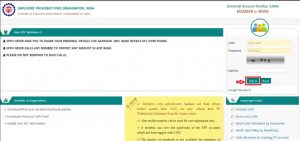
Step 1: Login to EPFO Member Portal
Visit the official EPFO portal and log in using your UAN and password.
Step 2: Verify KYC Details
Go to Manage → KYC and ensure Aadhaar, PAN, and bank details are verified.
Step 3: Go to Online Services
Click on Online Services → Claim (Form-31, 19 & 10C).
Step 4: Verify Bank Account
Enter your bank account number and click Verify.
Step 5: Select Claim Type
Choose:
-
Form-19 for full PF withdrawal
-
Form-31 for partial withdrawal
-
Form-10C for pension withdrawal
Step 6: Submit Claim
Confirm details, enter OTP received on Aadhaar-linked mobile, and submit.
You will receive a claim reference number for tracking.
PF Withdrawal Status – How to Check
-
Login to EPFO portal
-
Go to Online Services → Track Claim Status
-
Or use UMANG app
How Much Time Does PF Withdrawal Take?
-
7–15 working days (usually faster if KYC is correct)
-
Delays happen due to KYC mismatch or employer verification issues
Tax Rules on PF Withdrawal
-
Service less than 5 years → PF amount is taxable
-
Service more than 5 years → PF is tax-free
-
PAN not linked → 30% TDS deducted
Common PF Withdrawal Problems & Solutions
1. Aadhaar Not Verified
➡️ Update Aadhaar in EPFO portal and get employer approval.
2. Bank Details Mismatch
➡️ Ensure name and account number exactly match EPFO records.
3. Employer Approval Pending
➡️ Contact HR or raise grievance on EPFO portal.
4. Claim Rejected
➡️ Check rejection reason and re-apply after correction.
Benefits of Online PF Withdrawal
-
100% paperless process
-
Faster claim settlement
-
No middlemen or agents
-
Transparent tracking system
FAQs – PF Withdrawal Online
Q1. Can I withdraw PF without employer approval?
Yes, if Aadhaar is verified and KYC is complete.
Q2. Can I withdraw PF while working?
Only partial withdrawal is allowed under specific conditions.
Q3. What is minimum service period for PF withdrawal?
No minimum period for partial withdrawal. Full withdrawal requires unemployment or retirement.
Q4. Is PF withdrawal taxable?
Yes, if withdrawn before 5 years of continuous service.
Q5. Can I withdraw PF multiple times?
Yes, partial withdrawals can be made multiple times under allowed conditions.
Final Words
Online PF withdrawal has made life easier for employees across India. By ensuring your UAN, Aadhaar, PAN, and bank details are correct, you can withdraw your PF smoothly without delays.
More Related Blog – Phone Battery Draining Fast – Causes & Fix -Updated 1